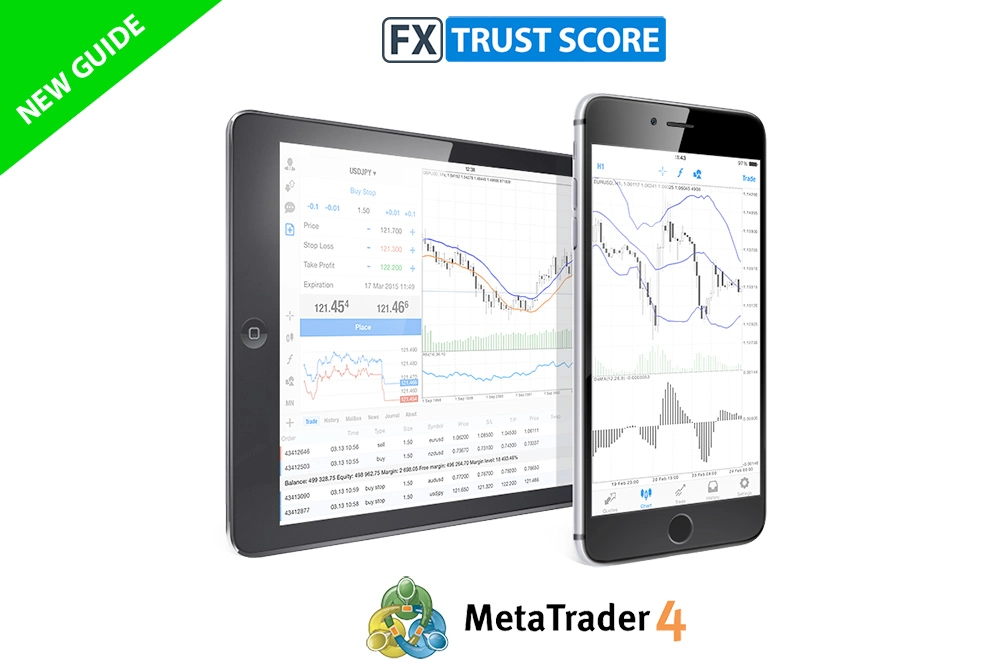
An Introduction to MetaTrader 4
MetaTrader 4, commonly known as MT4, is one of the most recognised and widely used online trading platforms in the world. Since its release, it has earned a strong reputation for reliability, user-friendliness and a wealth of technical tools that cater to traders of every experience level.
Choosing the right trading platform is a crucial decision. It serves as the bridge between a trader and the financial markets, providing access to live data, analytical tools and fast order execution. For many traders, MT4’s balance of simplicity and sophistication makes it a natural choice.
This comprehensive guide explains what MetaTrader 4 is, how it works, its most useful features, and how it compares with MetaTrader 5, whilst also offering tips on how to get the most out of it.
Want to trade on MT4?
To start trading on MT4, you will need to register with a broker that supports the platform. See our Best MT4 Forex Brokers.
What is the MT4 Trading Platform?
MetaTrader 4 was created by MetaQuotes Software, officially launched in July 2005 after two years of development. A mobile version followed later that year, allowing traders to manage their accounts while on the move.
MT4 is the fourth generation of MetaQuotes’ trading platforms and is often described as being several times more efficient than its predecessors. Although newer platforms have since been introduced, MT4 continues to dominate among retail forex traders. It supports multiple asset classes, including currencies, commodities and CFDs, which makes it a flexible and dependable choice for global traders.
Let’s take a closer look at why it remains so popular.
Key Features of MetaTrader 4
MT4’s enduring appeal lies in its extensive functionality and ease of use. Whether you are a beginner learning the basics or an experienced trader managing complex strategies, the platform provides a wide array of tools designed to enhance your trading performance.
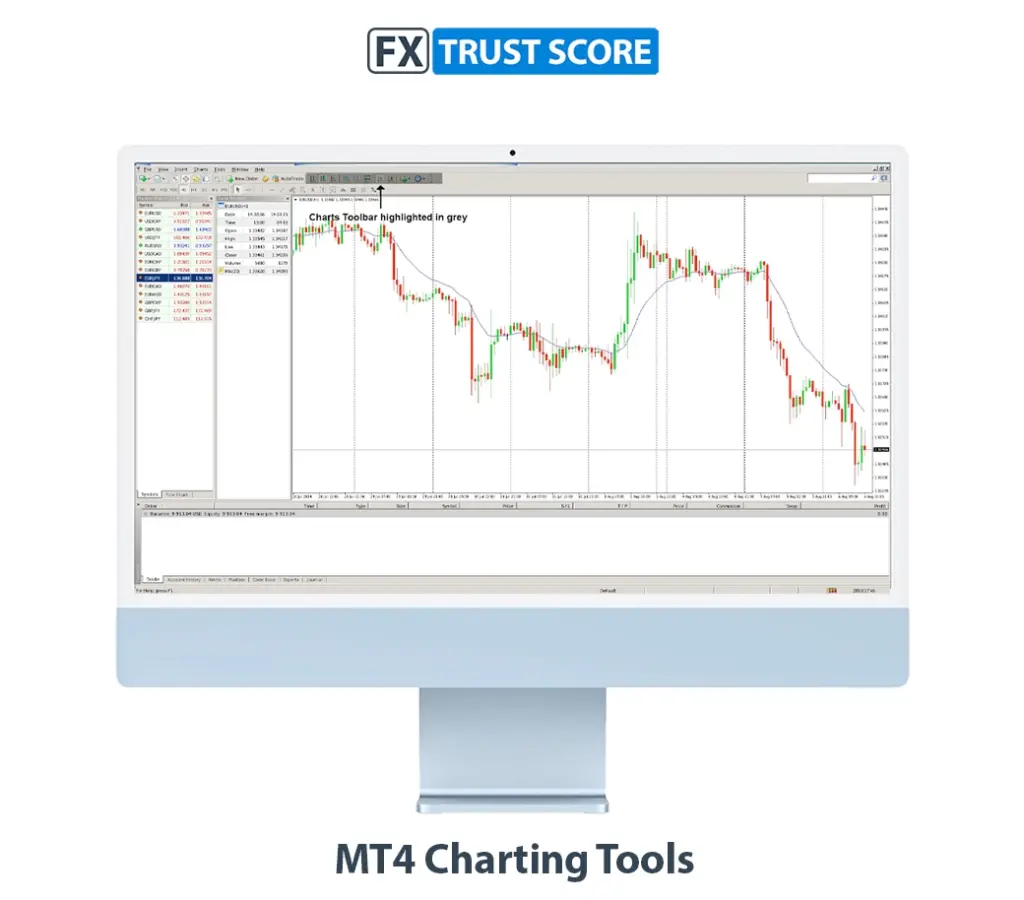
Advanced charting tools
MT4 provides fully interactive charts in line, bar, and candlestick formats. More than 30 built-in technical indicators allow traders to analyse market movements with precision. Charts can be resized, coloured and customised to display the information most relevant to your trading approach.
Expert Advisors (EAs)
One of MT4’s most powerful features is its support for automated trading. Expert Advisors, or EAs, enable users to run algorithmic strategies that open, close, and manage trades automatically according to pre-defined conditions. This allows traders to maintain consistent strategies without the need for constant manual monitoring.
Custom indicators
Beyond its default indicators, MT4 offers thousands of additional options through its community marketplace. Traders can install free or paid indicators to match their analysis style or even code their own using the MQL4 programming language.
Real-time market quotes
The platform delivers live price data directly from brokers with minimal delay, ensuring you can act quickly when markets move. Quotes update continuously, providing transparency and accuracy for every instrument you trade.
Compatibility across devices
MT4 can be used on Windows, macOS, web browsers, and mobile apps for iOS and Android. This flexibility allows traders to monitor markets and manage trades seamlessly whether they are at a desk or travelling.
How to Download and Install MetaTrader 4
Installing MT4 is straightforward, whether you are using a desktop computer or a mobile device.
MetaTrader 4 – Desktop
Visit your broker’s website or the official MetaTrader 4 page.
Choose the correct version for your operating system (Windows or macOS).
Download and run the installation file.
Follow the on-screen instructions to complete the setup.
Many brokers offer customised versions of MT4 that include additional tools, indicators, or branded interfaces.
MetaTrader 4 – Mobile
Go to your broker’s website or the official MT4 page.
Select the mobile version for Android or iOS.
If not redirected automatically, open the Google Play Store or Apple App Store and search for MetaTrader 4.
Download, install, and sign in with your broker’s server details.
Common installation issues
Incompatible operating system: Make sure your computer or device meets MT4’s requirements and that your OS is up to date.
Insufficient storage: Check that there is enough free space before downloading.
Permission settings: If you are using a managed or workplace computer, administrative permissions may be needed to install the software.
How to Use MetaTrader 4: A Beginner’s Guide
Once MT4 is installed, you will need to log in using the account details provided by your broker. After connecting to the trading server, the interface opens with several key sections designed to make navigation straightforward.
Toolbars
MT4 includes four main toolbars: Standard, Charts, Line Studies and Timeframes. Each can be rearranged or hidden to suit your preferences. They provide quick access to core functions such as chart management, order execution and drawing tools.
Market Watch
The Market Watch window lists all available instruments and displays live bid and ask prices. You can open charts, place trades, or view market depth directly from this panel. Access it using Ctrl + M or via the View -> Market Watch menu.
Terminal
At the bottom of the screen, the Terminal window displays open positions, balance, trade history, alerts and news updates. Key tabs include:
Trade: current orders and profit/loss.
Account History: record of completed trades.
Alerts and News: notifications and market headlines.
Journal: platform logs for troubleshooting.
You can toggle the Terminal on or off with Ctrl + T.
Navigator
The Navigator window provides fast access to accounts, indicators, Expert Advisors, and scripts. Use Ctrl + N to open it or select View -> Navigator from the menu.
How to place a trade on MT4
To execute a trade, open the New Order window from the toolbar or by right-clicking an instrument in Market Watch. Choose your trading pair, specify volume and optionally set Stop Loss and Take Profit levels before clicking Buy or Sell.
You can modify chart types or apply indicators directly to the chart by dragging them from the Navigator window. Popular indicators include Moving Averages, RSI, and MACD.
To manage trades, open the Trade tab in the Terminal window, where you can close, edit or adjust existing orders.
MT4 vs MT5: What’s the Difference?
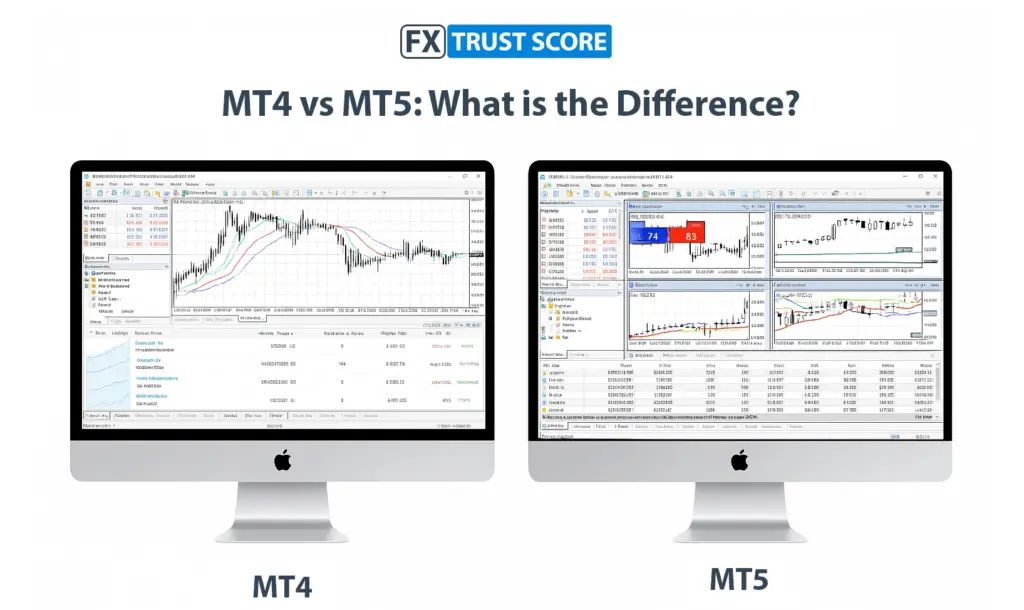
A common question for traders is whether to use MetaTrader 4 or MetaTrader 5. Both were developed by MetaQuotes, yet they serve slightly different purposes.
MT4 remains the preferred choice for beginners and forex-focused traders due to its simplicity and reliability. MT5, released in 2010, introduces more advanced charting tools, a broader range of markets and enhanced speed.
| Feature | MT4 | MT5 |
| Release Year | 2005 | 2010 |
| Timeframes | 9 | 21 |
| Technical Indicators | 30 | 38 |
| Order Types | 4 | 6 |
| Charting Tools | 31 | 44 |
| Programming Language | MQL4 | MQL5 |
| Economic Calendar | No | Yes |
| Depth of Market | No | Yes |
| Hedging | Yes | Yes |
| Netting | No | No |
While MT5 provides extra analytical tools and multi-asset support, many traders still prefer MT4 for its stable performance, wide community support and simpler coding environment.
While MetaTrader 4 remains the classic favorite, MetaTrader 5 introduces more advanced tools, asset classes, and order types. You can compare broker options for both in our Best Forex Brokers for MT4 and Best Forex Brokers for MT5 rankings.
Benefits of Using the MT4 Trading Platform
MT4’s longevity is no accident. Its combination of user-friendly design, reliability and flexibility has made it a trusted tool for millions of traders worldwide.
Why use MT4?
User-friendly interface: Clear menus and straightforward navigation help new traders get started quickly.
Customisation: Users can install their own indicators, scripts and EAs to adapt the platform to their trading style.
Community support: A large global network of traders shares ideas, strategies and custom tools.
Reliability: MT4 performs consistently well, even on older computers or slower connections, making it accessible to all.
Over nearly two decades, these strengths have established MT4 as a dependable, industry-standard platform.
Tips for Maximising Your Trading with MT4
MT4 offers numerous ways to refine your trading experience. The following techniques can help you trade more efficiently and confidently.
Install custom indicators and scripts
Adding third-party indicators or scripts lets you extend the platform’s capabilities, automate tasks and tailor the terminal to your preferred strategy.
Use the Strategy Tester
MT4’s built-in Strategy Tester allows you to back-test Expert Advisors using historical data. This is invaluable for assessing how an automated system might have performed before risking real capital.
Set alerts for price movements
You can create alerts for specific price levels or conditions so you’re notified instantly when markets reach key points. This saves you from constantly monitoring charts.
Employ risk-management tools
Always use Stop Loss and Take Profit orders to limit potential losses and lock in gains. MT4 also supports trailing stops, enabling you to protect profits automatically as prices move in your favour.
Following these practices will help you get the most from MT4’s features while maintaining disciplined risk control.
Choosing the Right Broker for MT4
Selecting the right broker is essential to getting the best out of MetaTrader 4. Not every broker offers the same trading conditions or platform integration.
Check that the broker supports MT4
Confirm that the broker offers full MT4 functionality, including support for Expert Advisors, custom indicators and the Strategy Tester.
Review the trading conditions
Compare spreads, commissions, minimum deposit requirements and leverage options. Transparent terms are usually a sign of a reliable provider.
Choose a regulated broker
Opt for a company regulated by a respected authority such as the Financial Conduct Authority (FCA) in the UK or ASIC in Australia. Regulation helps ensure that your funds are protected and that the broker operates with transparency.
Most leading forex brokers provide access to MT4 – FX Trust Score has reviewed the best options which we feature in our Best MT4 Brokers guide.
Is MetaTrader 4 Still Worth Using in 2025?
Despite being launched nearly two decades ago, MetaTrader 4 remains one of the most popular and capable trading platforms available. Its enduring success is due to its stability, ease of use and vast support network.
For beginners, MT4 offers an accessible entry point with all the essential tools to analyse markets and place trades confidently. For professionals, it provides enough depth and flexibility to manage advanced strategies and automated systems.
In 2025, millions of traders worldwide continue to rely on MT4 as their primary trading platform. Its consistent performance, widespread broker adoption and active community ensure that it remains a relevant and valuable choice for years to come.
Traders interested in the next-generation platform can also explore our Best Forex Brokers for MT5.
Final Thoughts
Whether you are new to trading or an experienced market participant, MetaTrader 4 remains a smart, dependable and feature-rich option. By understanding how to use its tools effectively and partnering with a trusted broker, you can turn MT4 into a cornerstone of your trading success.
Ready to start trading on MT4?
Compare top brokers in our Best Forex Brokers for MT4 guide or explore the Best MT5 Brokers for advanced features.
FAQs
MetaTrader 4 is a trading platform used to analyze charts, place forex trades, and use expert advisors (EAs). It’s beginner-friendly and widely supported by brokers.
Download MetaTrader 4 from your broker or MetaQuotes, run the installer and follow the prompts to complete setup.
Open MT4, click “File” > “Open an Account,” select a demo server, fill your details and start trading with virtual funds.
Click “New Order,” choose your volume, set Stop Loss or Take Profit, then click Buy or Sell to execute the trade.
Go to “Insert” > “Indicators,” choose one from the list, adjust settings, and it will appear on your chart
MT4 is simpler and forex-focused, which is ideal for beginners. MT5 offers more markets, time-frames, and features for advanced traders.
Publication date:
28/07/2025
Author: FX Trust Score
Last updated on October 23, 2025